August 2025
Version 5.4
Released: August 28, 2025
Improvements
New Login Screen
Design improvements to our login page.
AI Contract Processor Improvements
Confidence indicators now display properly on all extracted fields. Additionally, the Condition Description field now allows a longer maximum length, to accommodate the wizard extracting the full text of the condition from the contract.
Version 5.3
Released: August 22, 2025
Improvements
Form Editing Improvements
We've made a number of improvements to the deal forms lists, both in the deal details page and the Transaction Room review screen:
- Users can now rename all form types, not only forms submitted as "Other". This is particularly beneficial when multiple forms of the same type (e.g. FINTRAC) are submitted, so that they can be differentiated by filename.
- The appearance of the Edit and Delete buttons has been improved.
- When forms are uploaded, RealDesk automatically assigns a random ID to ensure all documents are unique. For display purposes, we now use a shortened version of this ID in the Transaction Room review screen.
Bug Fixes
Google Calendar Sync Restored
Resolved an issue that, in some cases, did not allow users to set up the Google Calendar sync.
Version 5.2.1
Released: August 22, 2025
Bug Fixes
Request Deposit — Outstanding Deposit Can't Be Removed
Resolved an issue that, in some cases, did not allow an outstanding deposit requested via the "request deposit" e-mail link method to be removed.
Brokerage Activity Page Excess Funds Calculation Issue
Resolved an issue that, in some cases, did not update the excess funds owing balance correctly when an excess payment had been created.
Version 5.2
Released: August 21, 2025
Improvements
Agents Can Add New Offices
When an agent is submitting a new deal and can't find the other brokerage from the drop-down, they can now click "Add Office" to create a new entry in the Other Brokerages database.
Version 5.1
Released: August 16, 2025
Improvements
Create Payments Excess to Seller on Double End Deals
For Ontario brokerages, if excess to seller is owing and the deal is double-ended, the Create Payments workflow will now create the excess payment automatically, as it does on single end deals.
Version 5.0
Released: August 14, 2025
Features
AI Contract Processor
It's now possible to enter a listing or buying deal using AI instead of manually keying in the deal information! Here's how it works:
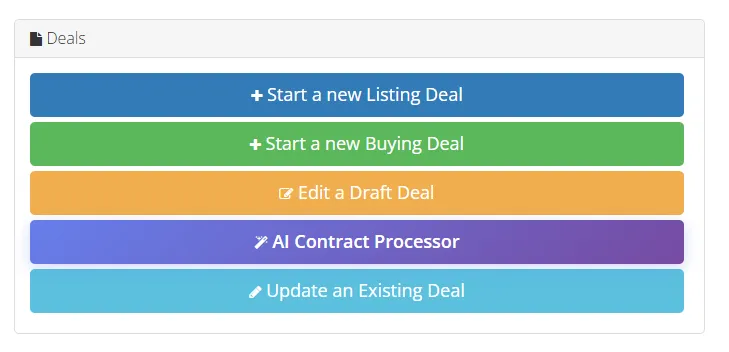
- In the Transaction Room, instead of "Start New Listing / Buying Deal", click "AI Contract Processor". If you don't see this button, contact RealDesk Support to have us enable this feature for you:
- Select your client and click Continue to Contract Upload
- Drag and drop your contract (or click to select the file) and choose whether you are on the listing or buying side
- Our AI model will read and extract the key information from your contract! This will take approx. 45-60 seconds.
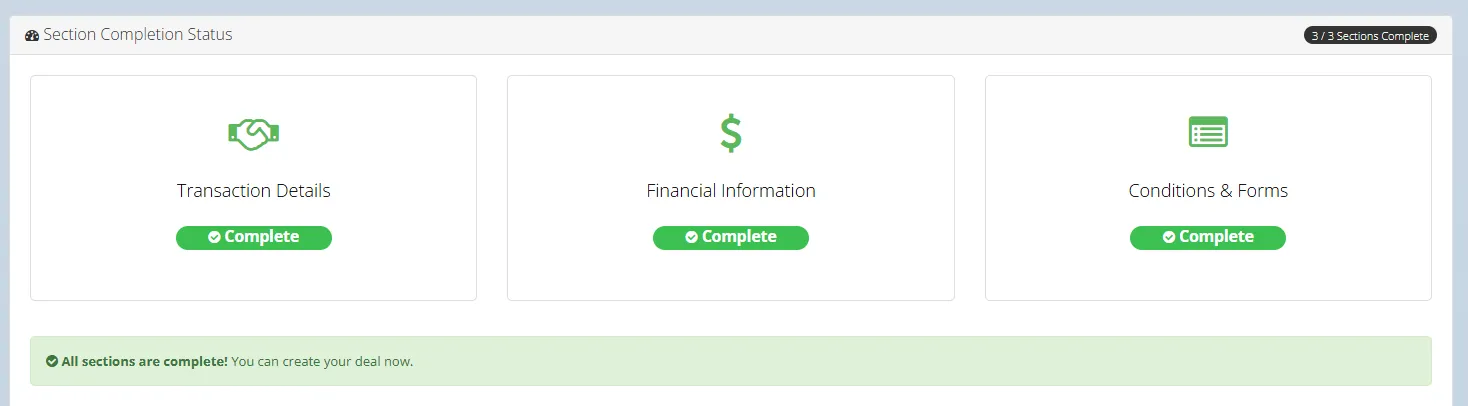
- The deal submission wizard has 3 parts: Transaction Details, Financial Information, and Conditions & Forms.
- For each data field extracted from the contract, the model will provide a confidence indicator. You should review all fields, but you may want to look more closely if the confidence shows yellow or red.
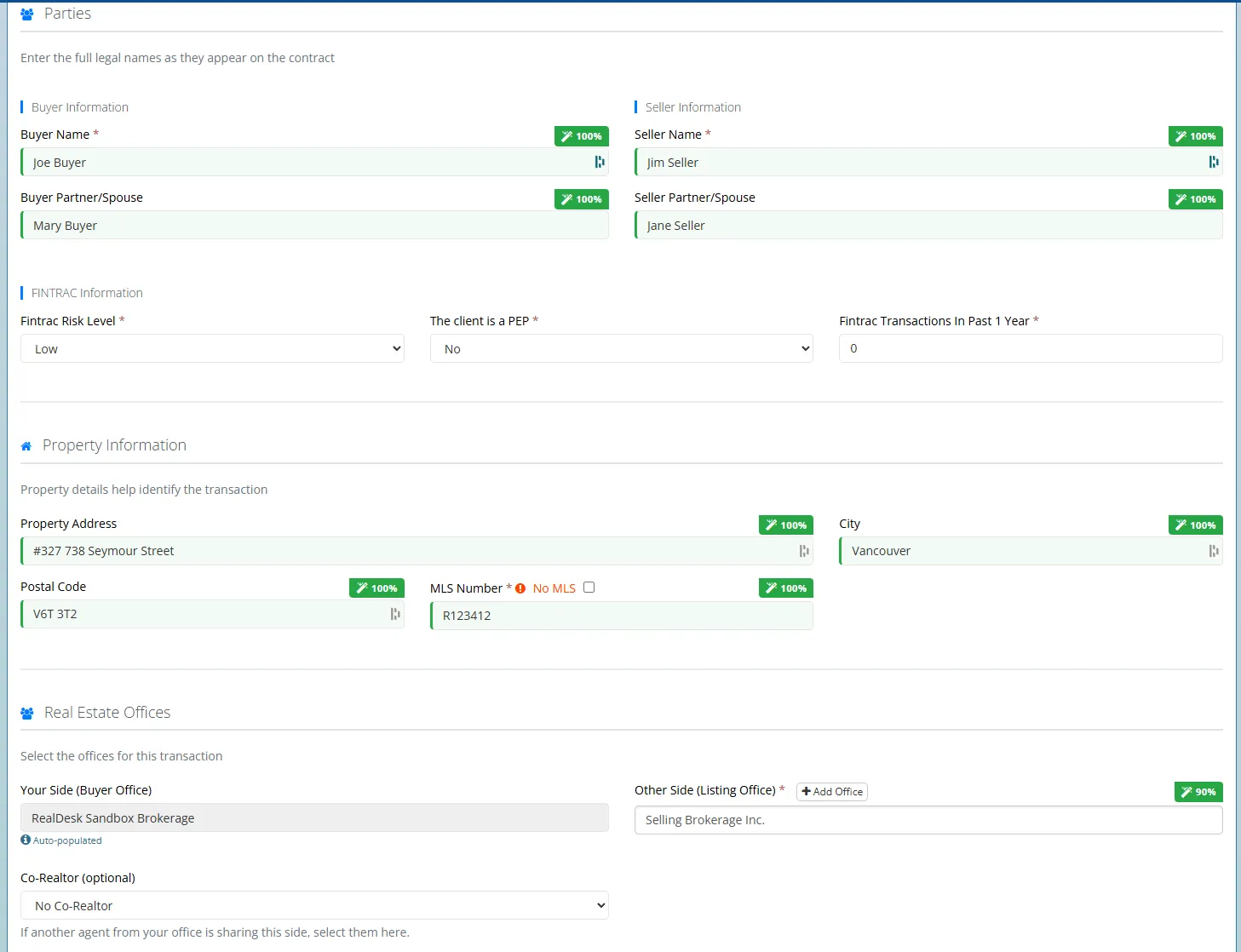
- If this is a listing deal, the wizard will automatically associate it to a listing if you already have one in the system.
- In the Financial Information section, you will still need to add the commissions as you did previously via the Commission Calculator.
- In the Conditions & Forms section, you will still need to upload the required forms as you have in the past.
- The section titles and icons will turn green as you complete each section:
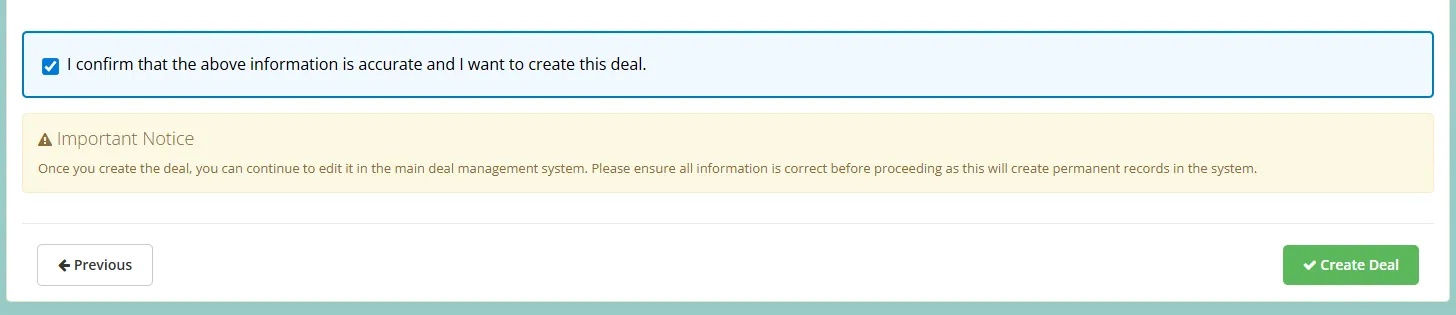
- Once all sections are complete, simply confirm that the information is accurate and click "Create Deal" to send the deal to the office!
This is still a new feature, so please let us know if you experience any issues with data not populating correctly, or any errors when submitting deals. We believe this capability will substantially reduce the time and effort required to submit new deals, and sets the stage for additional AI-powered features coming soon!
Version 4.9
Released: August 13, 2025
Features
Reminder / Title Search Date
Offices now have the option to add a "Reminder Date" field in the Transaction Room, alongside other date fields (Contract Date, Completion Date, Possession Date and so on).
This can be useful for setting a date in advance of closing as a reminder to send conveyancing or complete other tasks. In Ontario, this is part of the Agreement of Purchase and Sale and is known as the Title Search Date.
If enabled, this date can be tracked in several different ways including the Calendar (and calendar overview email), Brokerage Activity Page, and the Deals search page. It will also display in the Deal Details when a user looks up the deal.
To enable this option, visit the Deals Settings section of the System Settings page and click "Enable Reminder Date in Transaction Room". You can also create a custom name for this field (e.g. Title Search Date) by setting the "Reminder date field name".
Improvements
Add Override Log to EFT Payments Status
When a user overrides a dependent payment, this is now tracked as a status update.
Version 4.8
Released: August 8, 2025
Improvements
Allow Selecting Lawyer Emails Independently
Lawyer profiles now allow for a "secondary email", formerly "email CC". When sending conveyance, the user can select either email, or both. Conveyance history will save this selection.
Remove + Listing and +Deal Buttons from Clients Page
These are no longer necessary now that the Transaction Room is used for originating all listings and deals (except referral deals).
Audit Wizard Enhancements
The Audit Wizard now allows searching by future dates (if Completion/Possession Date is selected as the date range field). Date selection in general has been cleaned up.
Bug Fixes
Brokerage Activity Page Excess Funds Bug
Resolved an issue that, in some cases, showed that an excess funds payment had been created when it had not.
Version 4.7
Released: August 1, 2025
Improvements
Create Payments Modal Displays Withholdings
When using Create Payments For This Deal, withholdings are now displayed on separate lines for better visibility into the overall payment structure. Additionally, withholdings are factored into the final predicted account balance.
Hide Gross Commission on Invoices for Commission-Only Agents
NOTE: This is controlled by a configuration setting and is optional. If you would like to enable this for your brokerage, please contact RealDesk Support!
If an agent is receiving commission on a deal, but is not the primary realtor or co-realtor, their invoice will only display their commission, rather than the overall gross commission followed by a "split" line.
Deduction Manager / Tracker Excel Export Improvements
When exporting the Deduction Manager to Excel, for tiered deductions, the Amount field now displays as "Tiered" rather than zero.
Percentage deductions now display properly as percentages rather than dollar amounts.
Third party withholding deductions being paid out to agents now display properly as third party in the export.